Well, as I'm using opensuse 13.2 as OS in one of my disks, let's see how we can improve the look of its horrible fonts.
First: Yast2>/etc/sysconfig editor>Desktop, as seen below:

Play with font configs in each field. Mine I set as below:
FORCE_HINTSTYLE: hintfull
FORCE_AUTOHINT: yes
FORCE_BW: no
FORCE_BW_MONOSPACE: no
USE_LCDFILTER: lcddefault
USE_RGBA: rgb
These settings will make the links on /etc/fonts/conf.d, disabled by default on opensuse. Other way to make this, as root:
cd /etc/fonts/conf.d/
ln -s /usr/share/fontconfig/conf.avail/10-autohint.conf
ln -s /usr/share/fontconfig/conf.avail/10-sub-pixel-rgb.conf
ln -s /usr/share/fontconfig/conf.avail/11-lcdfilter-default.conf
Make a file named user.js in $HOME/.mozilla/firefox/*.default/ with this content:
user_pref("font.FreeType2.enable", "true");
user_pref("font.FreeType2.autohinted", "true");
user_pref("font.FreeType2.printing", "true");
user_pref("font.FreeType2.unhinted", "false");
To improve fonts and other enhancements on firefox, I use the excellent ArchWiki, mainly for dpi adjustments (I'm not a fanboy of just one distro but since I'm linux user since 1997, I understand distros are just some kind of free expression to get the same thing, like religions, and btw I used arch, made good friends and learn a lot from some years because of the experience, but the rolling release model doesn't fit on the plans of my server). Here's the link: Firefox tweaks on ArchWiki
Add some related lines to Xdefaults, if it doesn't have:
echo -e "Xft.autohint: 1\nXft.lcdfilter: lcddefault\nXft.hintstyle: hintfull\nXft.hinting: 1\nXft.antialias: 1\nXft.dpi: 144\nXft.rgba: rgb" >> ~/.Xdefaults
As I use a 1920x1080 monitor resolution, I use dpi=144, so pay attention to this set on .Xdefaults above and set accordingly to your own set.
And because of that, I made a xrandr.desktop to set dpi through xrandr as well, to autostart in LXDE:
[Desktop Entry]
Name=Xrandr
Terminal=true
Type=Application
Exec=xrandr --dpi 144
In lxappearance (LXDE), I set like this:
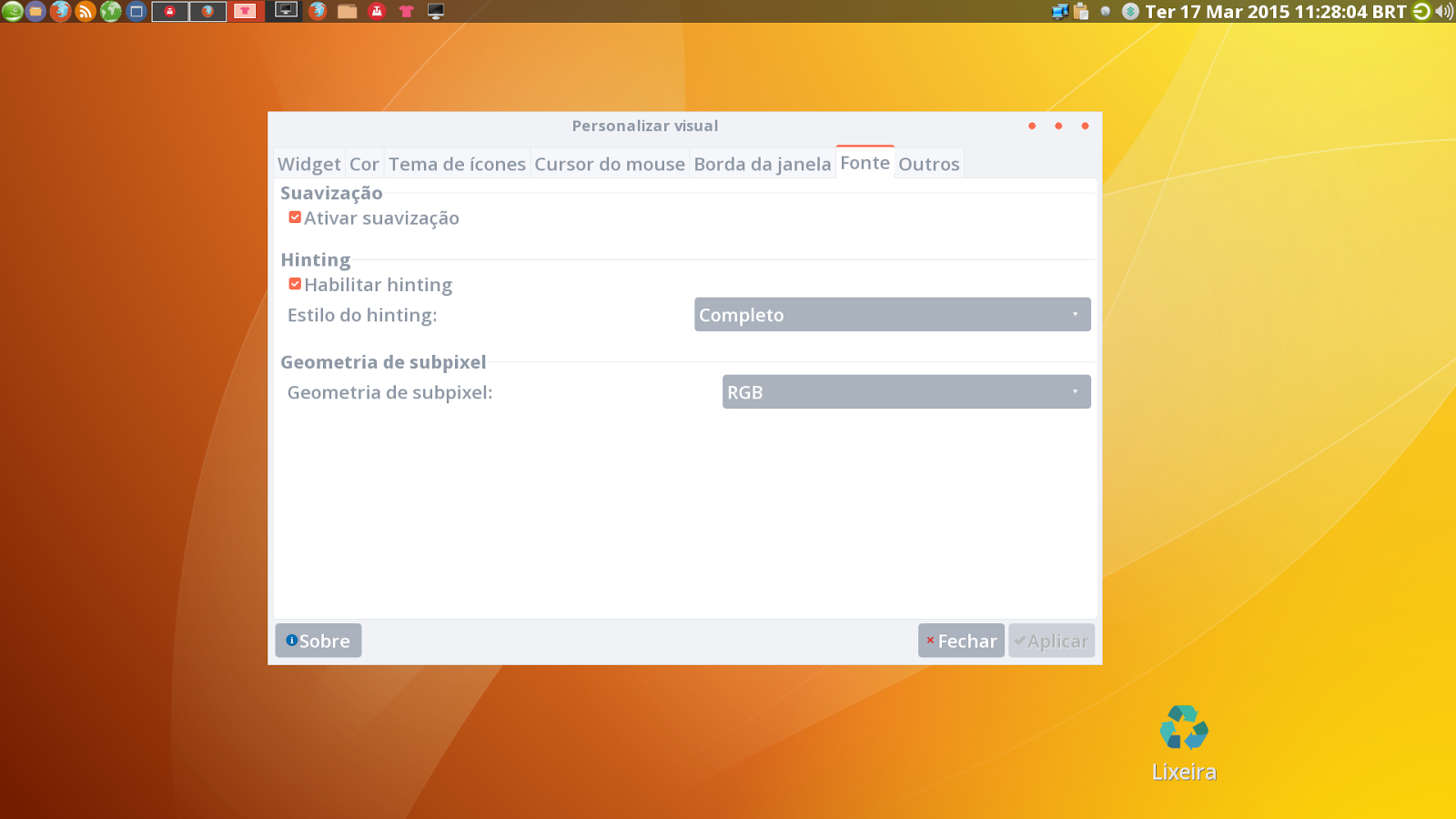
Result:


That's all. I hope this simple tuto helps the other Opensuse users with the bad looking fonts on this great distro (IMHO).
First: Yast2>/etc/sysconfig editor>Desktop, as seen below:
Play with font configs in each field. Mine I set as below:
FORCE_HINTSTYLE: hintfull
FORCE_AUTOHINT: yes
FORCE_BW: no
FORCE_BW_MONOSPACE: no
USE_LCDFILTER: lcddefault
USE_RGBA: rgb
These settings will make the links on /etc/fonts/conf.d, disabled by default on opensuse. Other way to make this, as root:
cd /etc/fonts/conf.d/
ln -s /usr/share/fontconfig/conf.avail/10-autohint.conf
ln -s /usr/share/fontconfig/conf.avail/10-sub-pixel-rgb.conf
ln -s /usr/share/fontconfig/conf.avail/11-lcdfilter-default.conf
Make a file named user.js in $HOME/.mozilla/firefox/*.default/ with this content:
user_pref("font.FreeType2.enable", "true");
user_pref("font.FreeType2.autohinted", "true");
user_pref("font.FreeType2.printing", "true");
user_pref("font.FreeType2.unhinted", "false");
To improve fonts and other enhancements on firefox, I use the excellent ArchWiki, mainly for dpi adjustments (I'm not a fanboy of just one distro but since I'm linux user since 1997, I understand distros are just some kind of free expression to get the same thing, like religions, and btw I used arch, made good friends and learn a lot from some years because of the experience, but the rolling release model doesn't fit on the plans of my server). Here's the link: Firefox tweaks on ArchWiki
Add some related lines to Xdefaults, if it doesn't have:
echo -e "Xft.autohint: 1\nXft.lcdfilter: lcddefault\nXft.hintstyle: hintfull\nXft.hinting: 1\nXft.antialias: 1\nXft.dpi: 144\nXft.rgba: rgb" >> ~/.Xdefaults
As I use a 1920x1080 monitor resolution, I use dpi=144, so pay attention to this set on .Xdefaults above and set accordingly to your own set.
And because of that, I made a xrandr.desktop to set dpi through xrandr as well, to autostart in LXDE:
[Desktop Entry]
Name=Xrandr
Terminal=true
Type=Application
Exec=xrandr --dpi 144
In lxappearance (LXDE), I set like this:
Result:
That's all. I hope this simple tuto helps the other Opensuse users with the bad looking fonts on this great distro (IMHO).
Comentários